
設計変更編
▼PowerPoint PAGE-01

設計変更の開始
▼PowerPoint PAGE-02
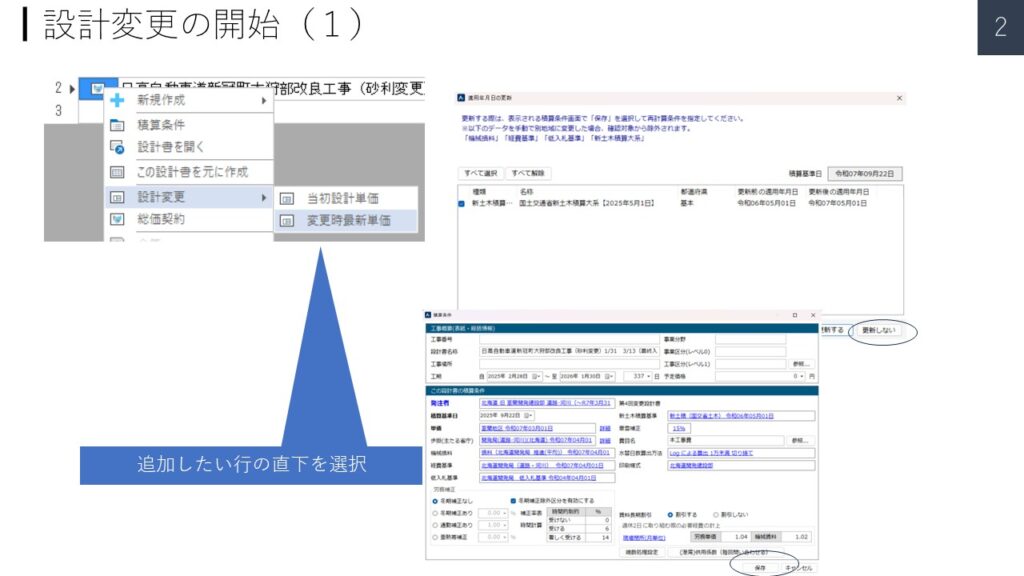
総価の設計書ベースに変更設計書を作成する。
▼PowerPoint PAGE-03
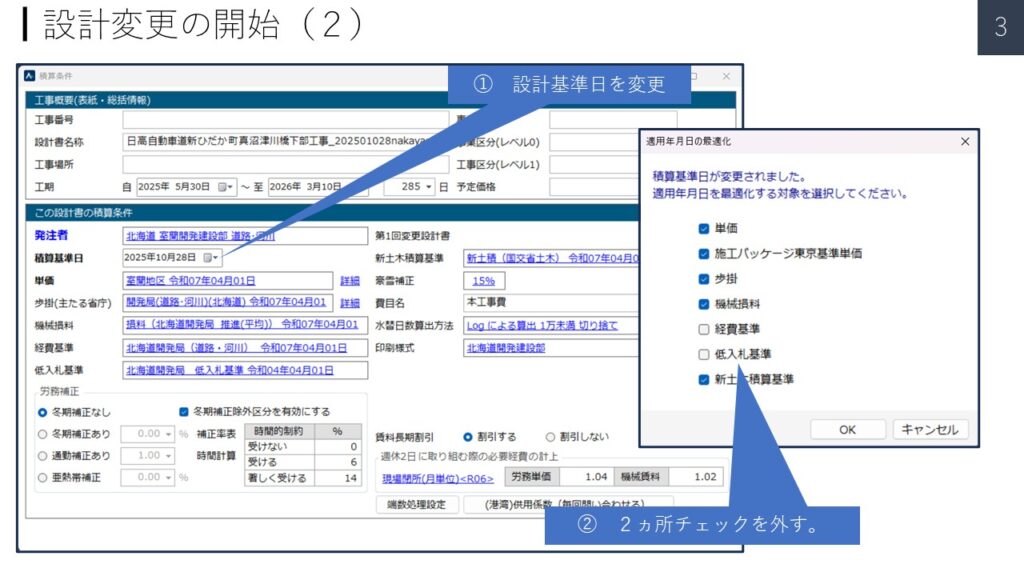
① 設計基準日を変更する。
と、“適用年月日の最適化”のダイヤログが出る。
② 2ヵ所チェックを外す。
▼PowerPoint PAGE-04
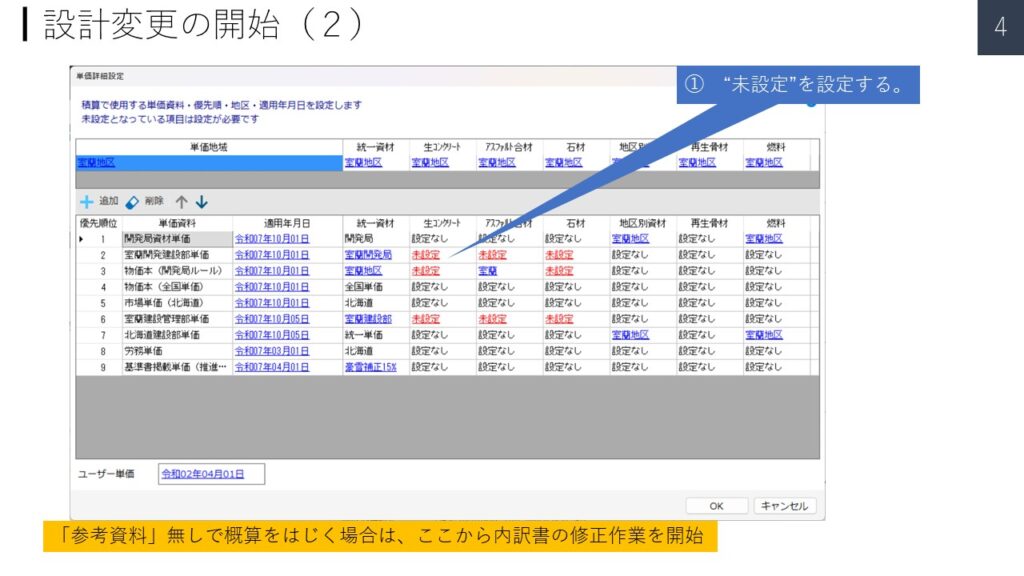
① “未設定”を設定する。
▼PowerPoint PAGE-05
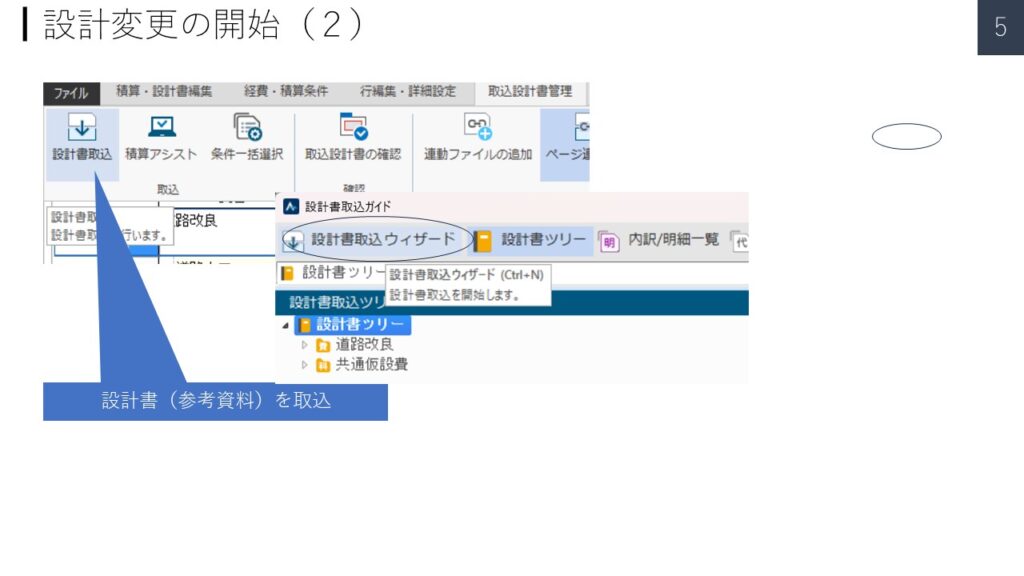
設計書(参考資料)を取込む。
▼PowerPoint PAGE-06
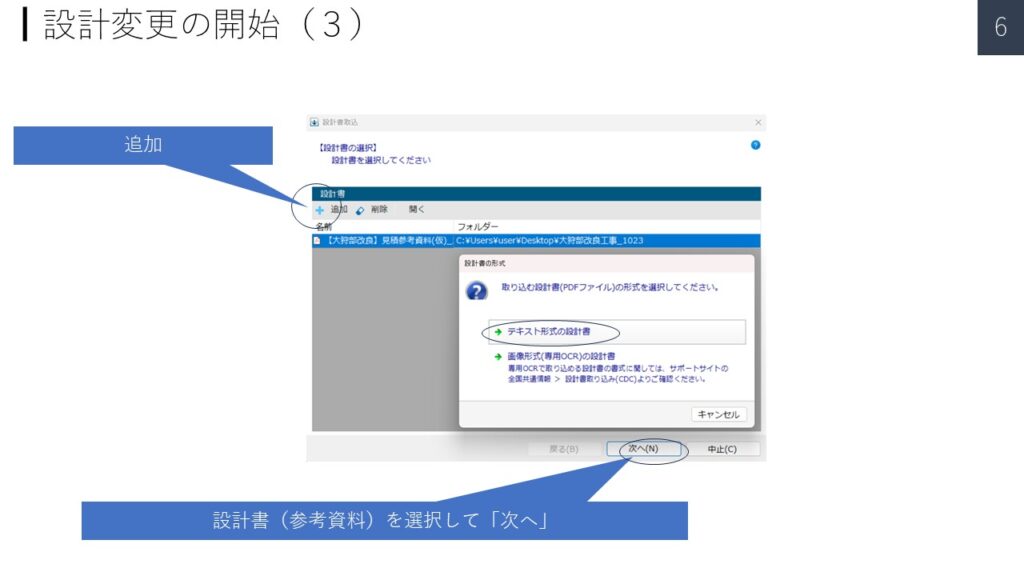
① 追加
② 設計書(参考資料)を選択して「次へ」
③ テキスト形式の設計書をクリック
▼PowerPoint PAGE-07
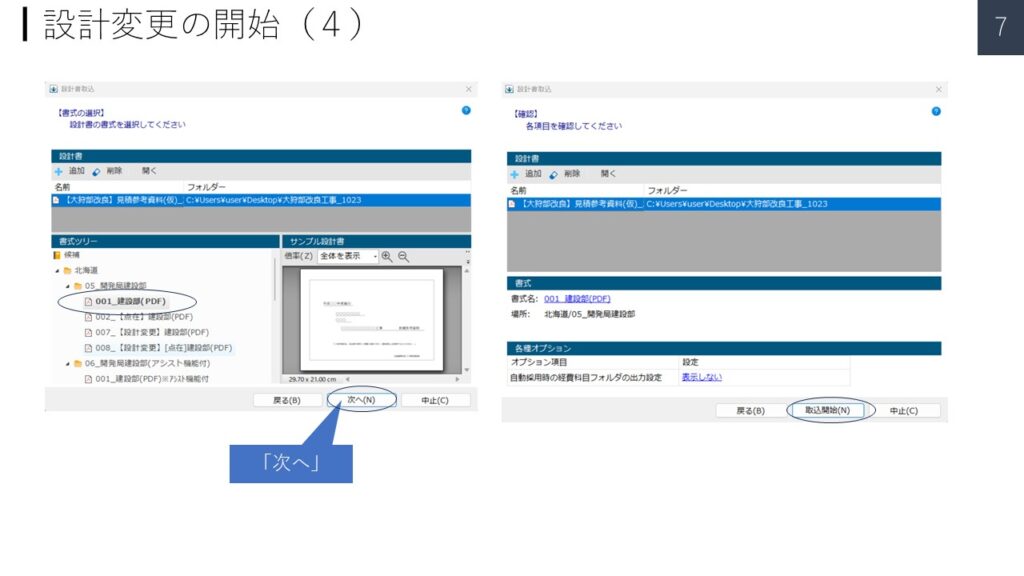
① 書式ツリーの候補から選択
② 「次へ(N)」
③ 「読み込み開始(N)」
歩掛り単価を追加する。
▼PowerPoint PAGE-08
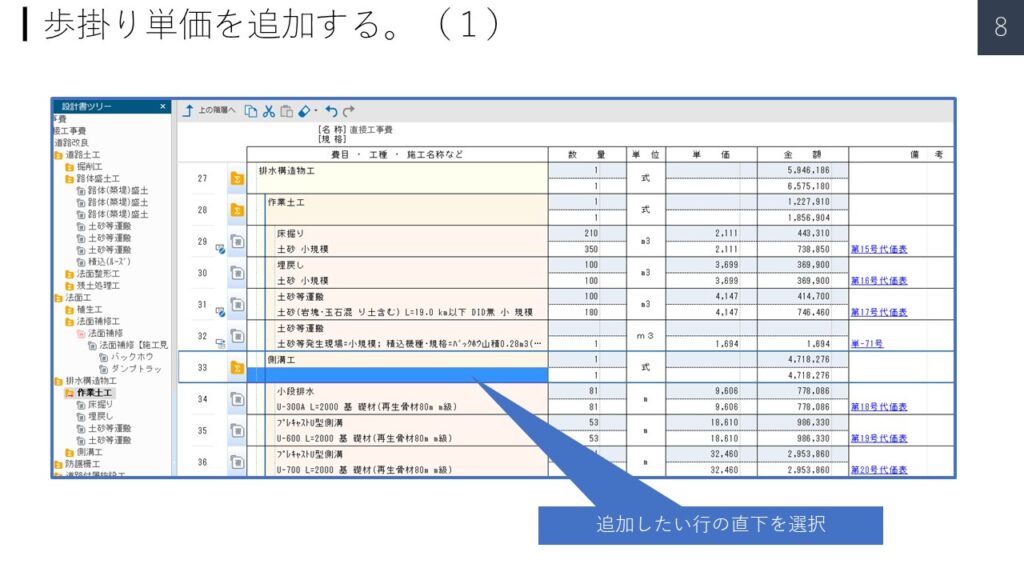
追加したい行の直下を選択
▼PowerPoint PAGE-09
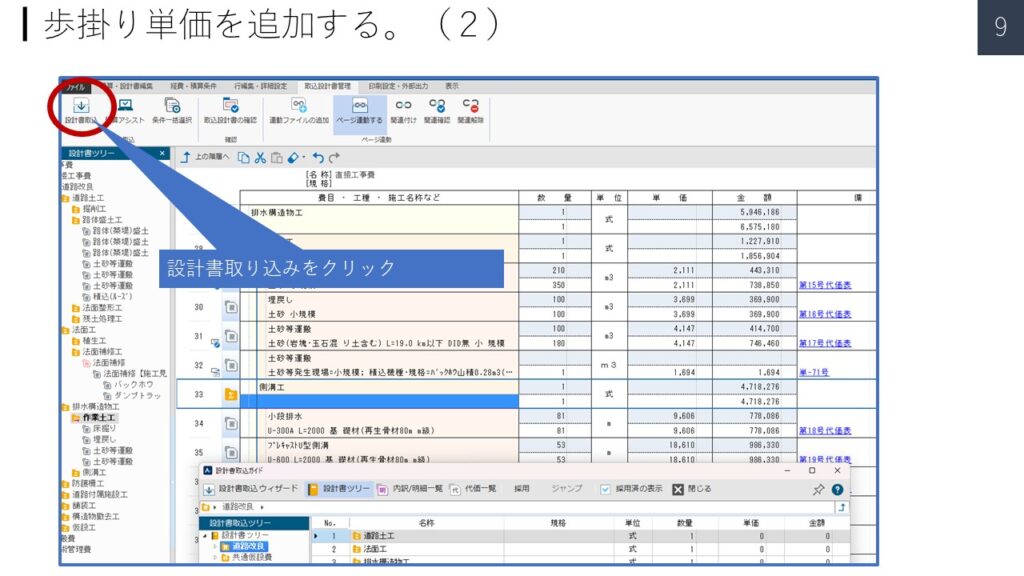
設計書取り込みをクリック
▼PowerPoint PAGE-10
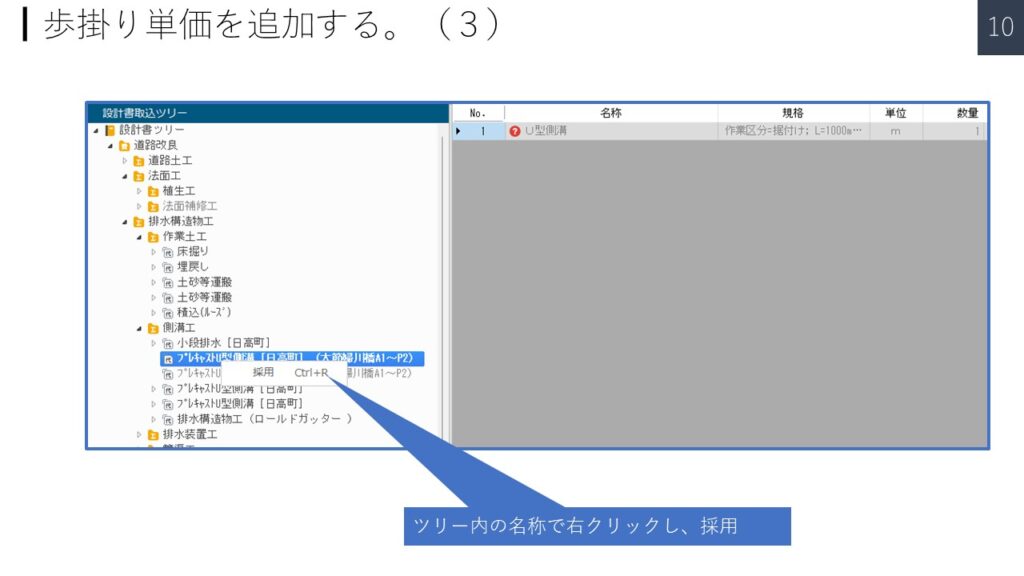
ツリー内の名称で右クリックし、採用
手入力単価を追加する。
▼PowerPoint PAGE-11
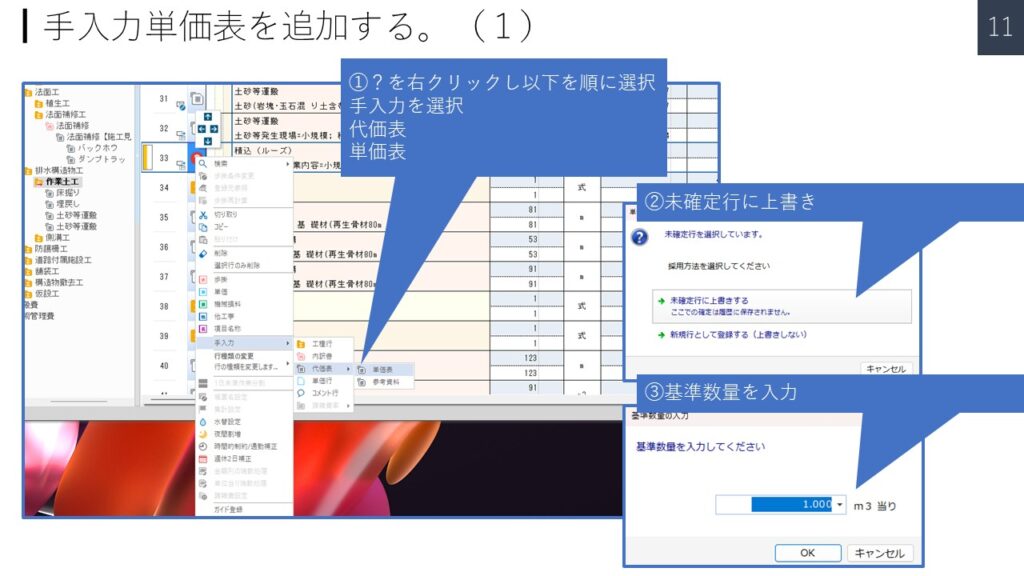
①?を右クリックし以下を順に選択
手入力を選択
代価表
単価表
②未確定行に上書き
③基準数量を入力
▼PowerPoint PAGE-12
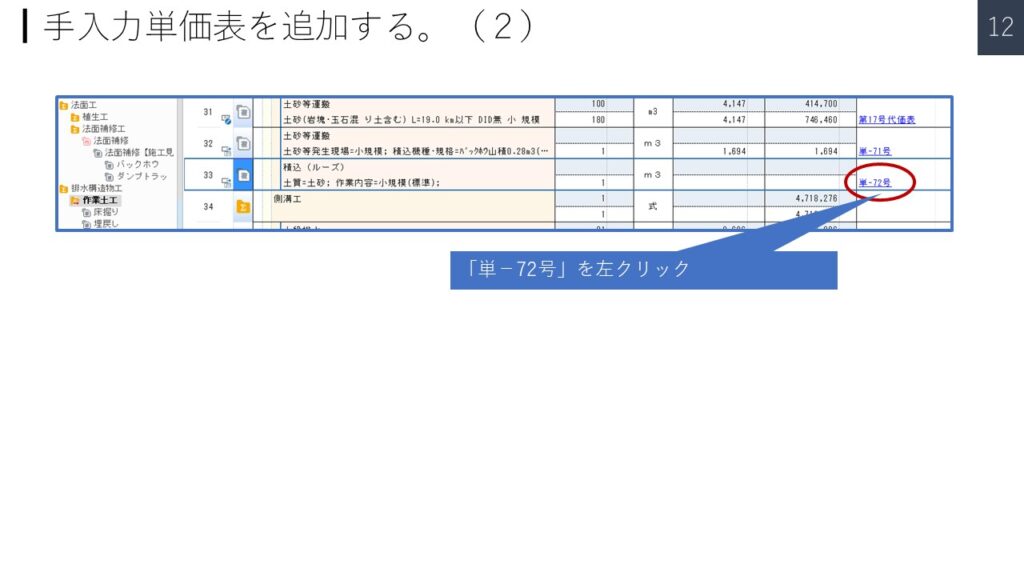
「単-72号」を左クリック
新規工種を追加する。
▼PowerPoint PAGE-13
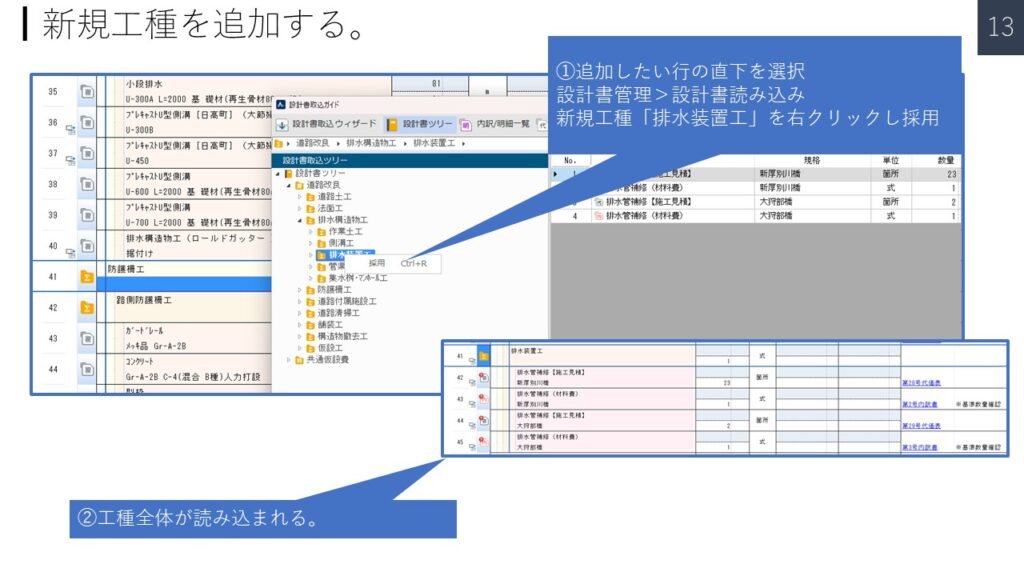
①追加したい行の直下を選択
設計書管理>設計書読み込み
新規工種「排水装置工」を右クリックし採用
②工種全体が読み込まれる。
▼PowerPoint PAGE-14
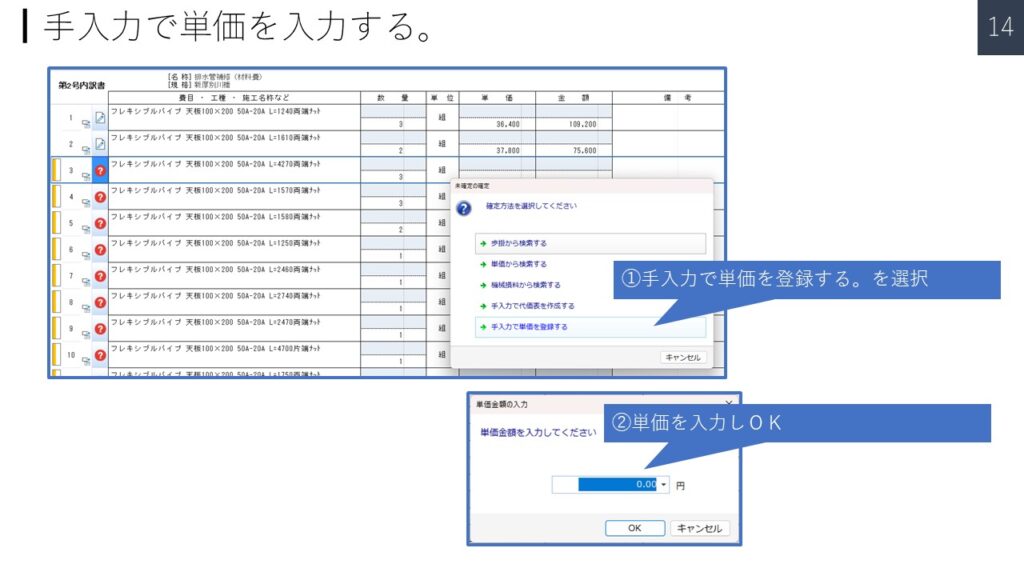
①手入力で単価を登録する。を選択
②単価を入力しOK
読み込んだ工種の階層を修正する。
▼PowerPoint PAGE-15
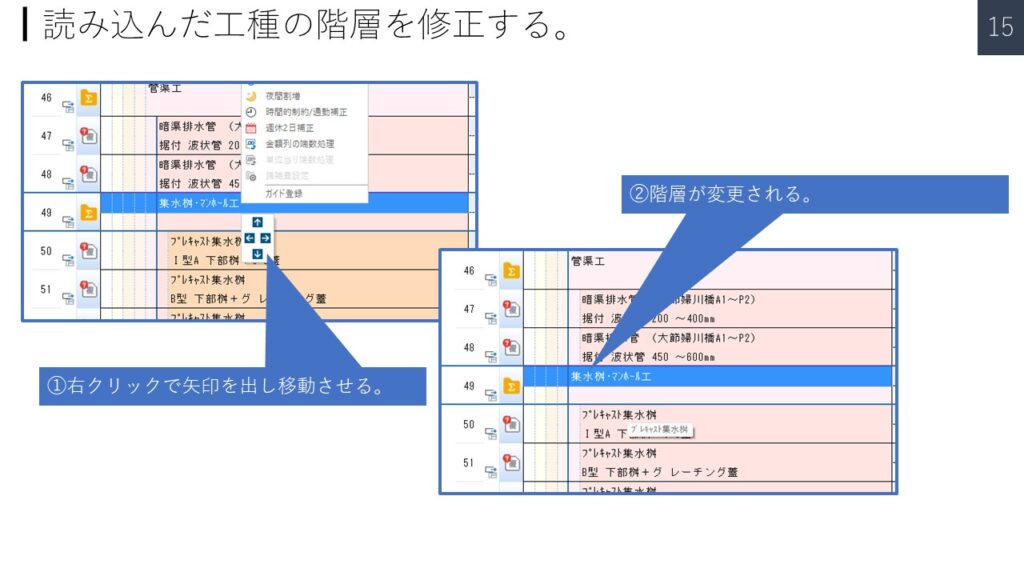
①右クリックで矢印を出し移動させる。
②階層が変更される。
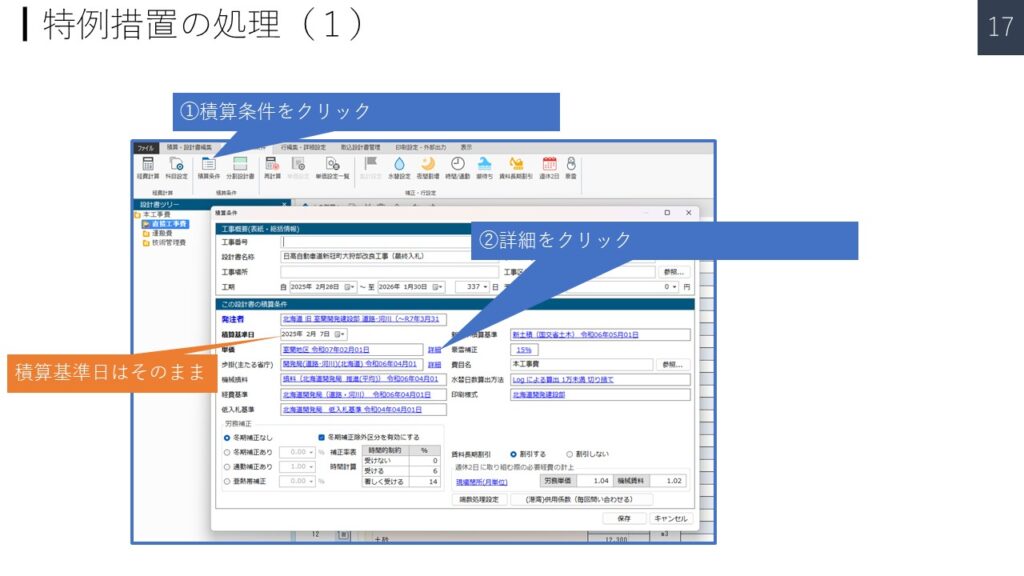
特例措置の処理
▼PowerPoint PAGE-16
▼PowerPoint PAGE-17
▼PowerPoint PAGE-18
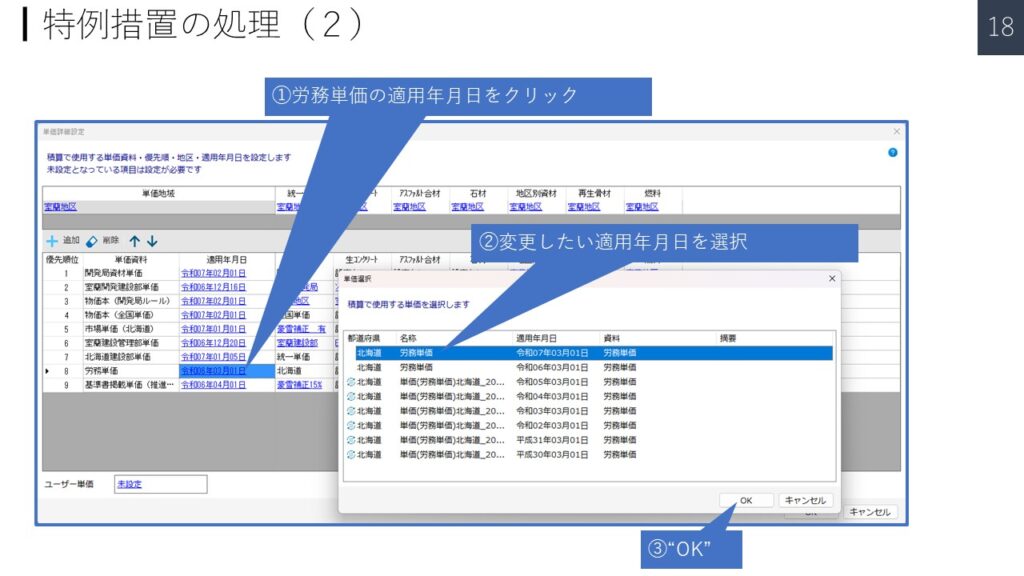
▼PowerPoint PAGE-19
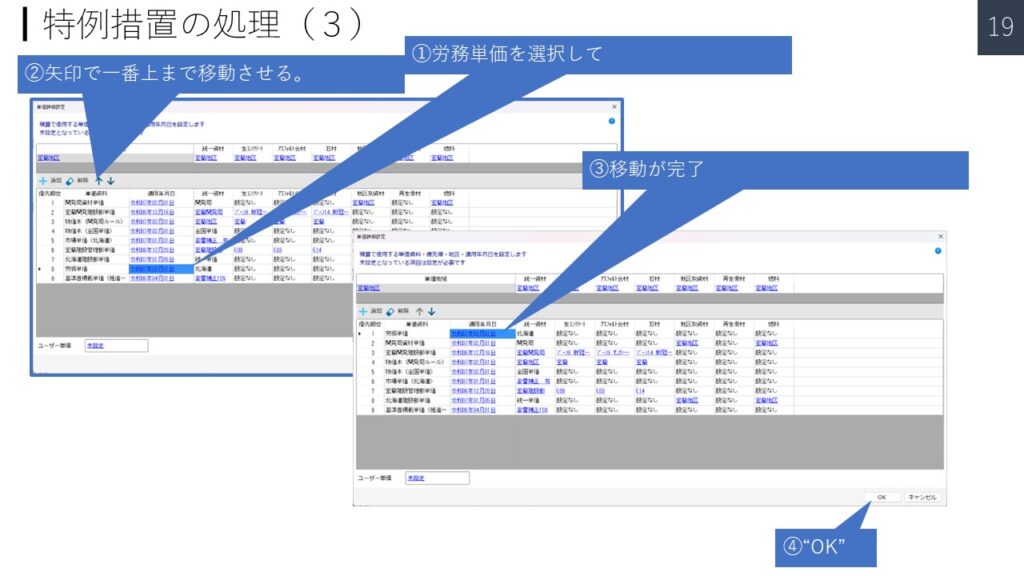
▼PowerPoint PAGE-20
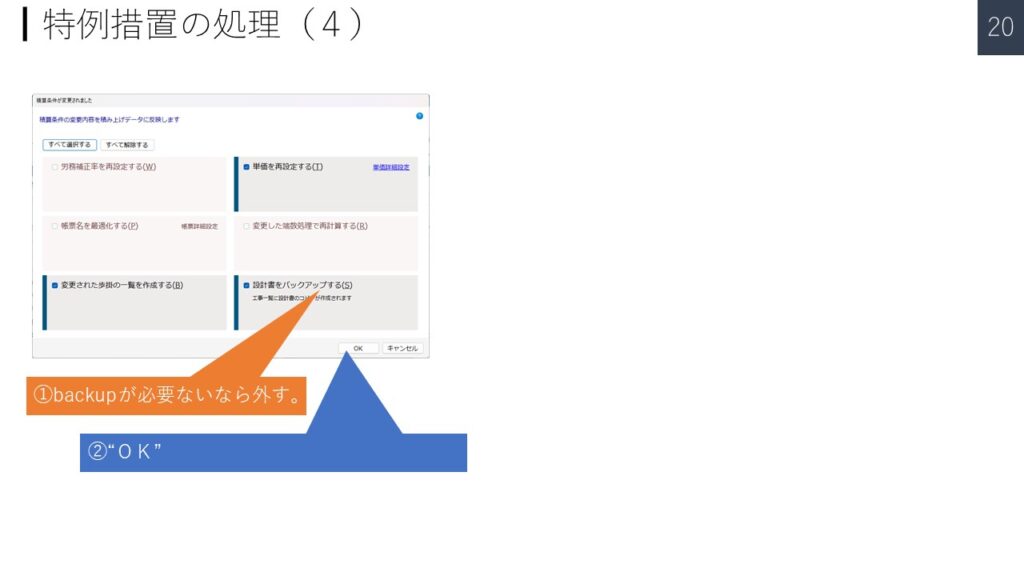
▼PowerPoint PAGE-21
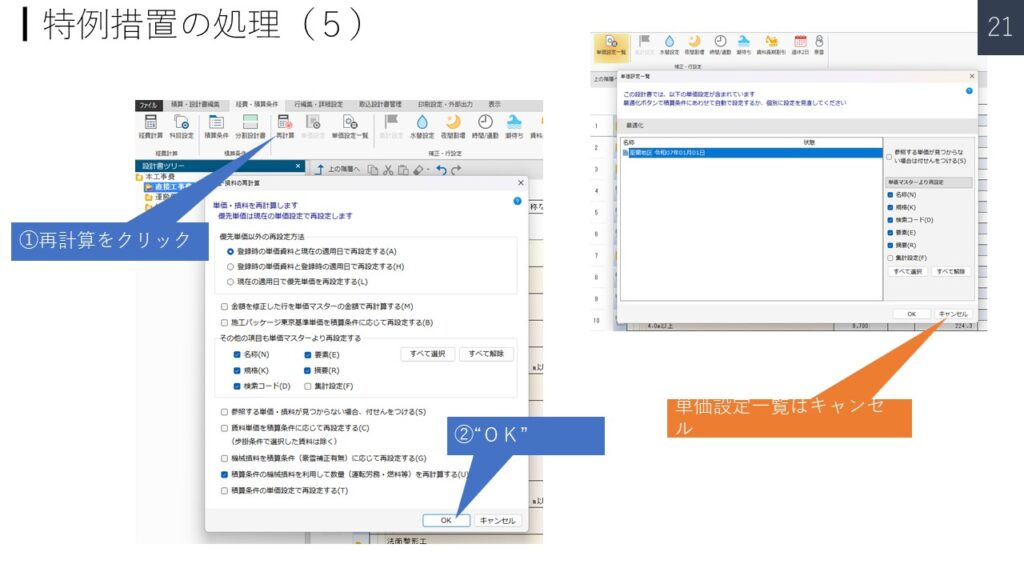
施工歩掛り見積書(二次単価歩表)の積算について
▼PowerPoint PAGE-22
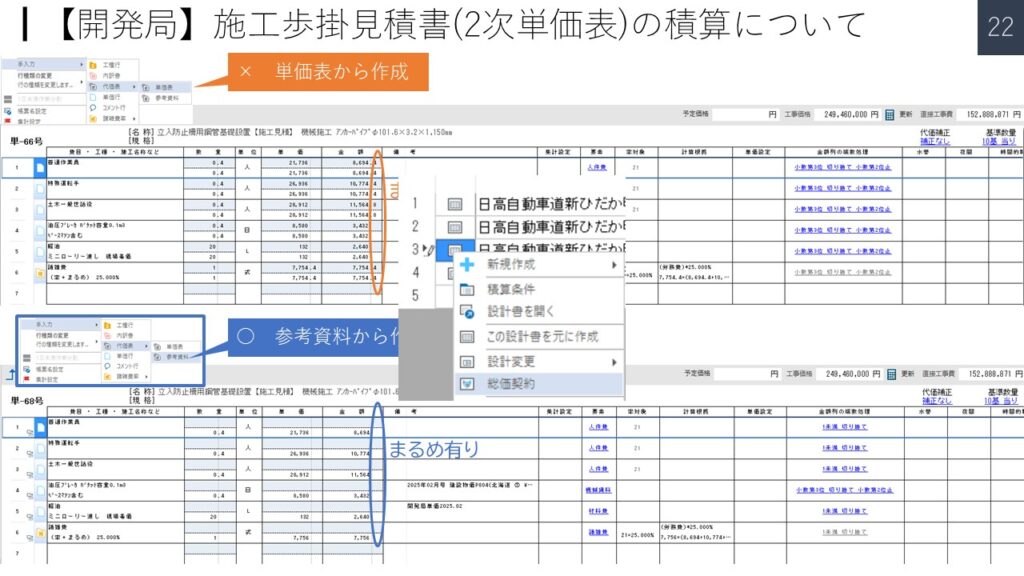
2019年09月18日
地域情報 > 北海道 > 06開発局(道路・河川・空港) > その他(操作・設計書 等)
施工歩掛見積書(2次単価表)の積算について【開発道路河川】 | その他(操作・設計書 等) | 新着情報
総価契約合意単価の処理
▼PowerPoint PAGE-23
▼PowerPoint PAGE-24
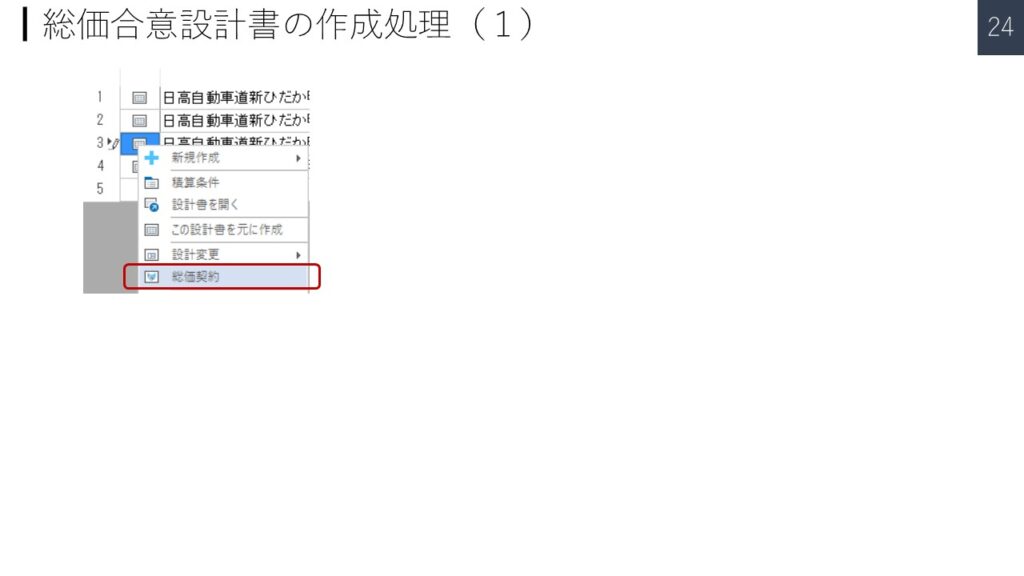
① 応札した設計書をコーピー
② “総価契約”をクリック
▼PowerPoint PAGE-25
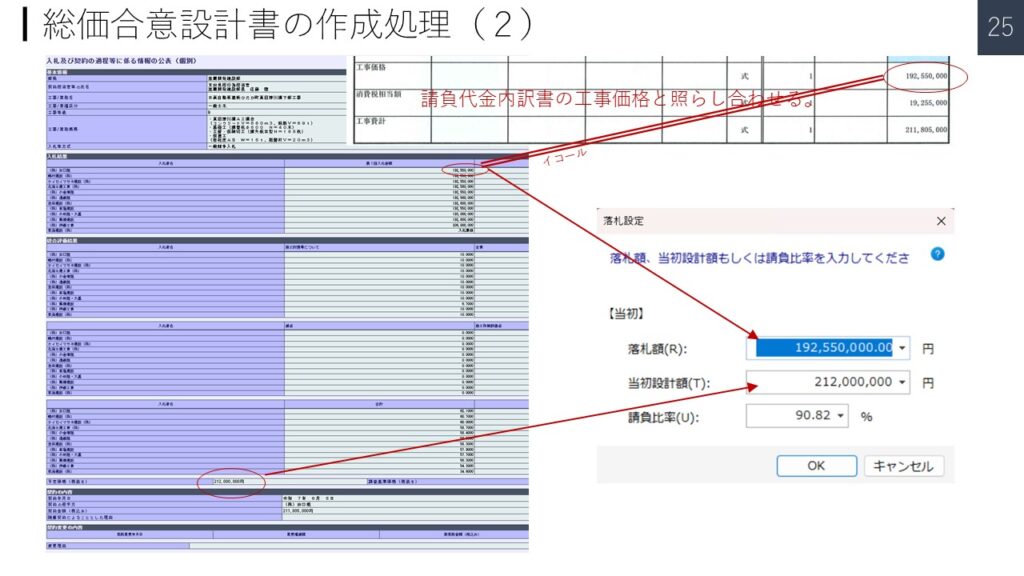
① ホームページ 入札及び契約の過程等に係る情報の公表 を開き、当該工事を検索し表示する。
② 請負代金内訳書の工事価格と照らし合わせる。
③ 落札設定のダイヤログに入力
④ “OK”
▼PowerPoint PAGE-26
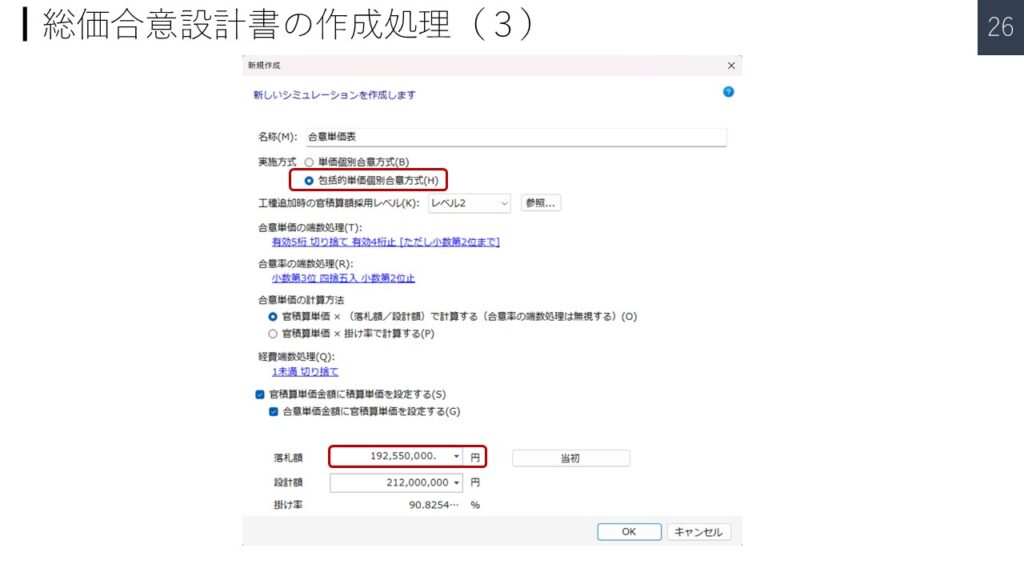
① 包括的短歌個別合意方式(H)を選択
② 落札額を再度入力
③ “OK”
▼PowerPoint PAGE-27
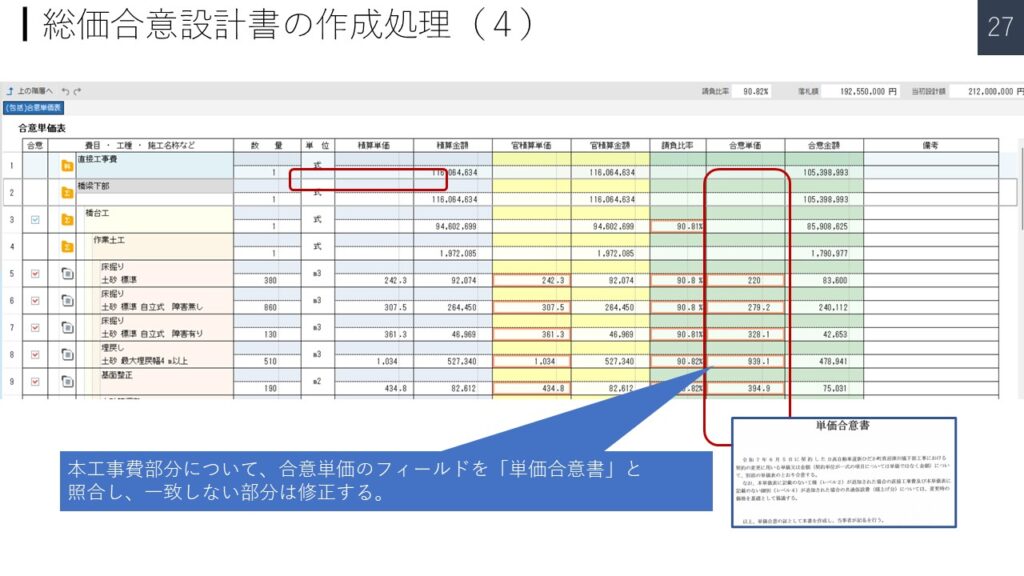
① 本工事費部分について、合意単価のフィールドを「単価合意書」と照合し、一致しない部分は修正する。
▼PowerPoint PAGE-28
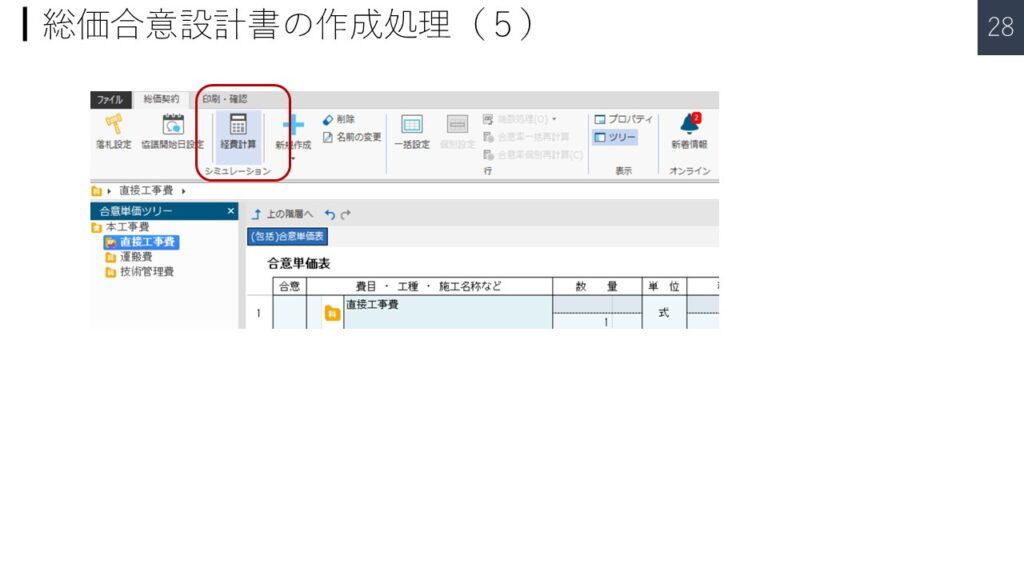
① 経費計算をクリック
▼PowerPoint PAGE-29
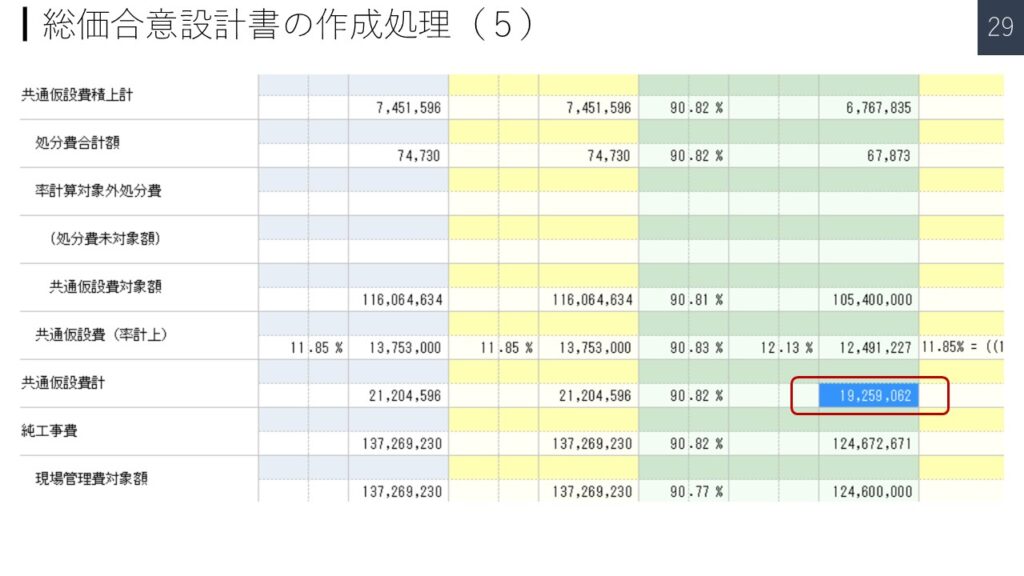
① 共通仮設費一致しているか確認
▼PowerPoint PAGE-30
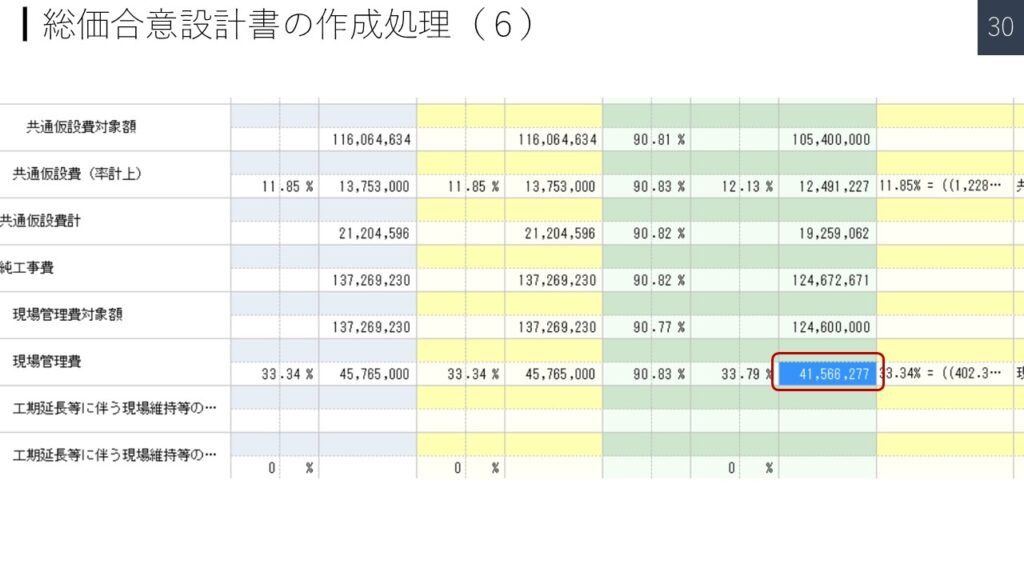
① 現場管理費が一致しているか確認
▼PowerPoint PAGE-31
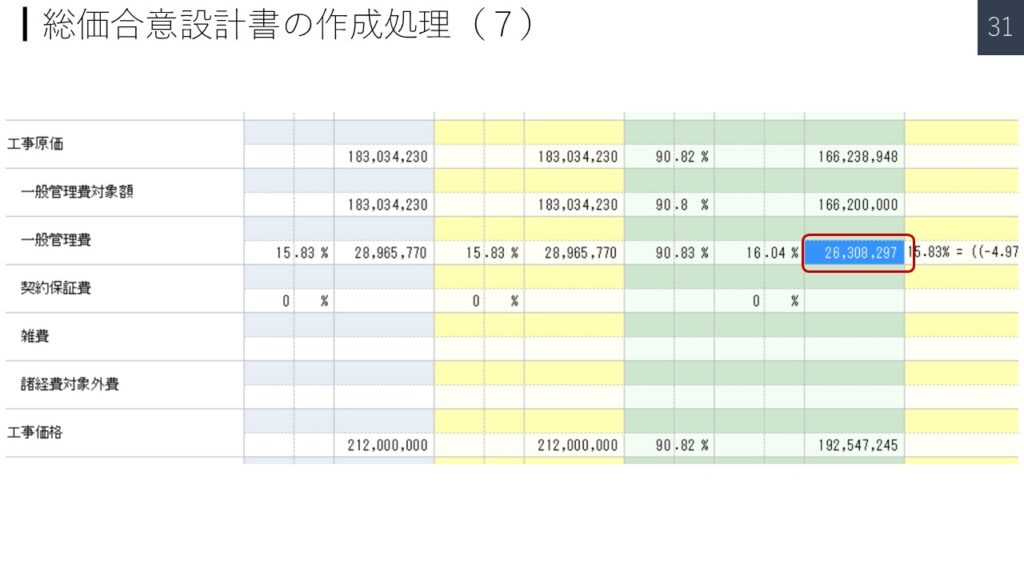
① 一般管理費が一致しないので、合意書の金額に打ち替える。
▼PowerPoint PAGE-32
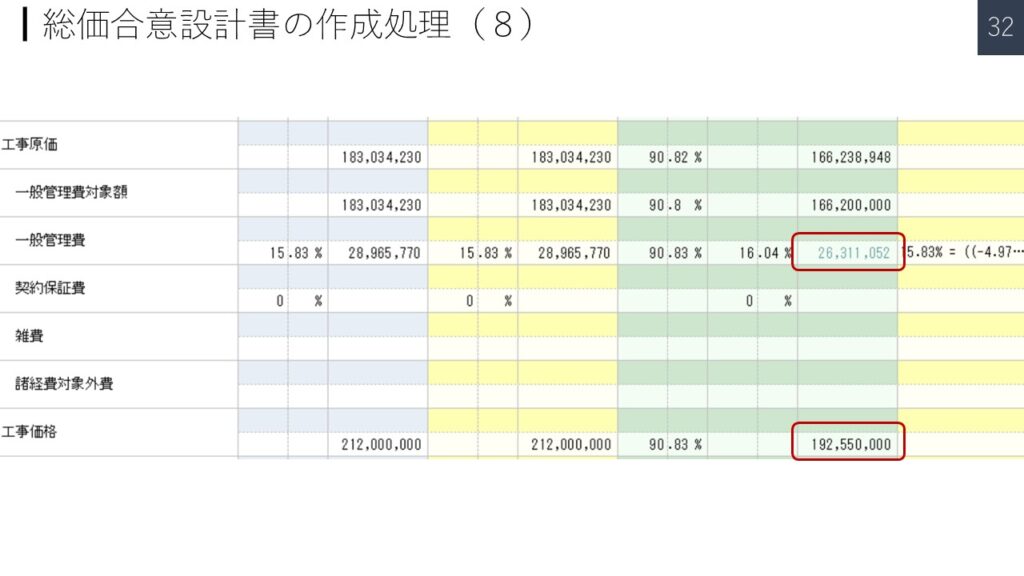
① 打ち替えると数字が緑色になる。
② 工事価格が落札額に一致したら完了
注意:経費再計算を行うと元に戻ってしまう。
▼PowerPoint PAGE-33
設計変更の作業を行う。
概算の仮設計書の場合、この作業が終了したならば、
次頁の総価合意設計書の処理が必要
▼PowerPoint PAGE-34
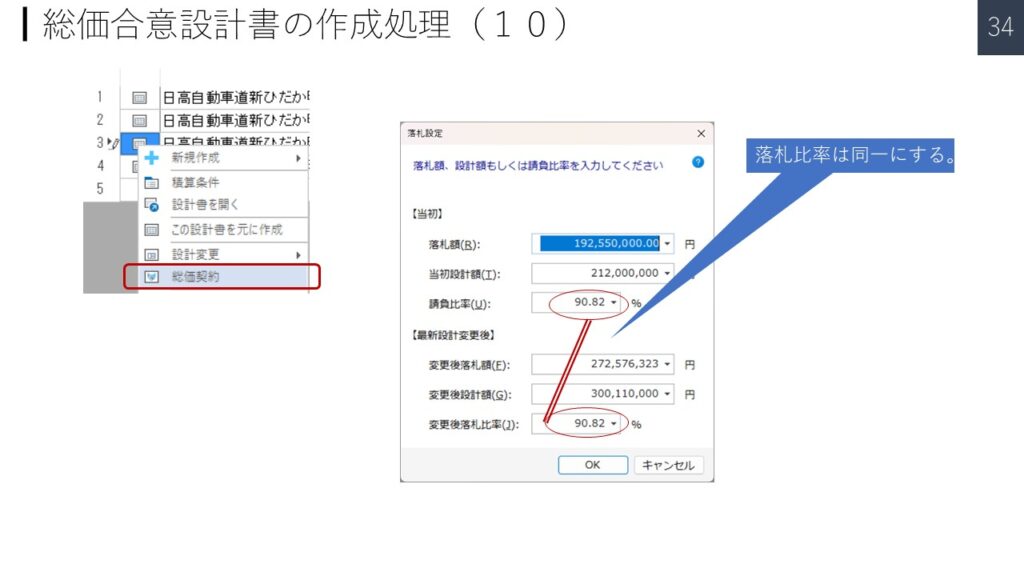
① 概算の設計書をコーピー
② “総価契約”をクリック
③ 落札比率は同一にする。
▼PowerPoint PAGE-35
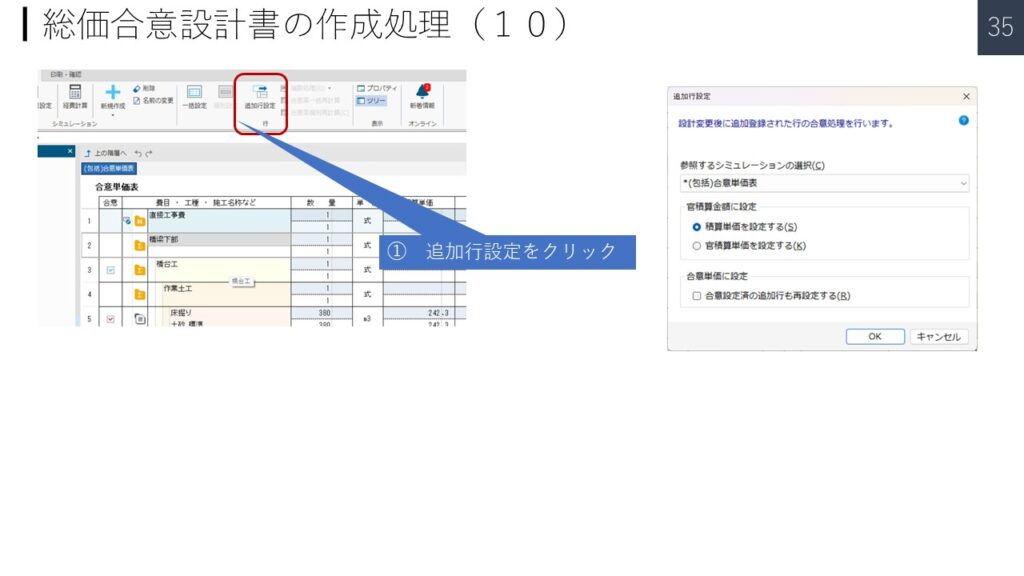
① 追加行設定をクリック
② 追加行設定は、シミュレーションを(包括)合意単価表を選択
▼PowerPoint PAGE-36
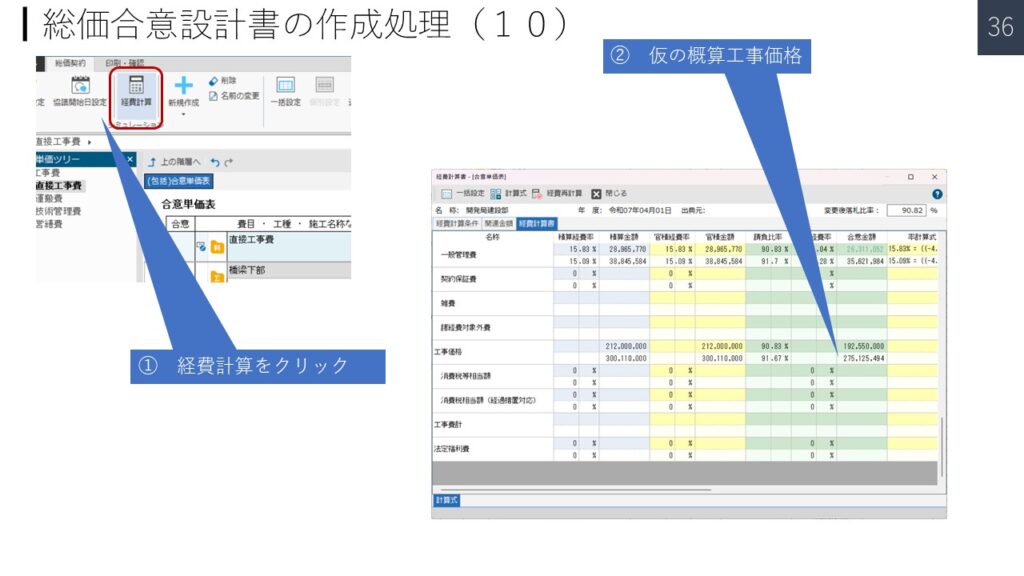
① 経費計算をクリック
② 仮の概算工事価格
END