==============================================================================
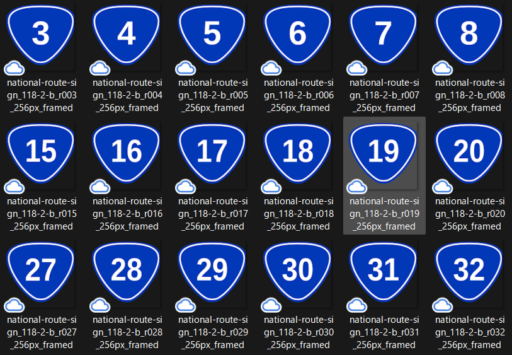
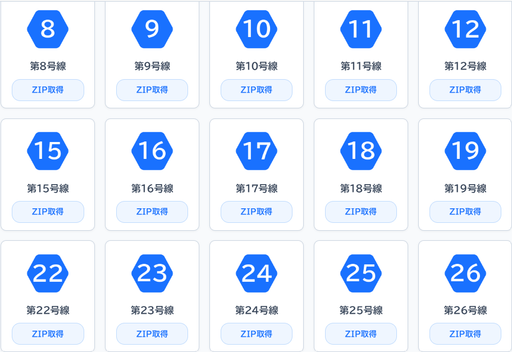
都道府県道ルートマーク(道路標識令118の2-B準拠)
【正式公開版】号線別5種同梱パッケージ 一括生成スクリプト(0〜1200号・全1201路線)
パッケージ同梱内容(各 route_sign_XXXX.zip 内):
1. hexa_bizudpgothic_blue_1971FF_32px_XXXX.png (極小マップピン用)
2. hexa_bizudpgothic_blue_1971FF_64px_XXXX.png (GIS標準シンボル用)
3. hexa_bizudpgothic_blue_1971FF_128px_XXXX.png (Web一覧・資料インライン用)
4. hexa_bizudpgothic_blue_1971FF_256px_XXXX.png (高精細印刷・図面枠用)
5. hexa_bizudpgothic_blue_1971FF_vector_XXXX.svg (CAD・Illustratorベクター)
+ README.txt (仕様書・利用規約)
意匠構造:最外縁白枠仕様(外側に青地は出ない完全境界セパレート構造)
発行・提供:どんぐりかいぎじっこういいんかい
==============================================================================
import os
import math
import zipfile
from io import BytesIO
import urllib.request
from PIL import Image, ImageDraw, ImageFont
from google.colab import files
print(“=== 1. 公式フォントの配備(BIZ UDPGothic-Bold) ===”)
font_url = “https://github.com/googlefonts/morisawa-biz-ud-gothic/raw/main/fonts/ttf/BIZUDPGothic-Bold.ttf“
font_path = “BIZUDPGothic-Bold.ttf”
if not os.path.exists(font_path):
print(“BIZ UDPGothic-Bold を取得中…”)
urllib.request.urlretrieve(font_url, font_path)
print(“フォント配備完了。”)
print(“=== 2. 最外縁白枠ヘキサ(上下平行・9:8扁平・真円弧フィレット)の幾何学マスター計算 ===”)
道路標識令 118の2-B 公式プロポーション(横450mm : 縦400mm = 9 : 8)
1024pxスーパーサンプリング空間における基準寸法(幅920px、高さ817.78px)
CANVAS_BASE = 1024.0
TARGET_W = 920.0
TARGET_H = TARGET_W * (400.0 / 450.0)
CX = CANVAS_BASE / 2.0
CY = CANVAS_BASE / 2.0
HW = TARGET_W / 2.0
HH = TARGET_H / 2.0
def calculate_fillet_points(inset=0.0, r_corner=110.0, steps=16):
“””
上下平行六角形の各頂点に真円弧(G1接線連続)フィレットを演算した座標リストを生成
“””
cur_hw = HW – inset
cur_hh = HH – inset * (400.0 / 450.0)
top_w_half = cur_hw * 0.52
# 6つの仮想頂点(上左、上右、右端、下右、下左、左端)
v = [
    (CX - top_w_half, CY - cur_hh),
    (CX + top_w_half, CY - cur_hh),
    (CX + cur_hw, CY),
    (CX + top_w_half, CY + cur_hh),
    (CX - top_w_half, CY + cur_hh),
    (CX - cur_hw, CY)
]

r = max(2.0, r_corner - inset * 0.5)
points = []
num_v = len(v)

for i in range(num_v):
    p_prev = v[(i - 1) % num_v]
    p_curr = v[i]
    p_next = v[(i + 1) % num_v]

    v1 = (p_prev[0] - p_curr[0], p_prev[1] - p_curr[1])
    v2 = (p_next[0] - p_curr[0], p_next[1] - p_curr[1])
    len1 = math.hypot(v1[0], v1[1])
    len2 = math.hypot(v2[0], v2[1])
    u1 = (v1[0] / len1, v1[1] / len1)
    u2 = (v2[0] / len2, v2[1] / len2)

    dot = max(-1.0, min(1.0, u1[0] * u2[0] + u1[1] * u2[1]))
    theta = math.acos(dot)
    half_theta = theta / 2.0
    tan_half = math.tan(half_theta)

    d = min(r / tan_half, min(len1, len2) * 0.45)

    t1 = (p_curr[0] + u1[0] * d, p_curr[1] + u1[1] * d)
    t2 = (p_curr[0] + u2[0] * d, p_curr[1] + u2[1] * d)

    bisector = (u1[0] + u2[0], u1[1] + u2[1])
    len_b = math.hypot(bisector[0], bisector[1])
    if len_b > 1e-6:
        u_b = (bisector[0] / len_b, bisector[1] / len_b)
        c = (p_curr[0] + u_b[0] * (r / math.sin(half_theta)), p_curr[1] + u_b[1] * (r / math.sin(half_theta)))
    else:
        c = p_curr

    ang1 = math.atan2(t1[1] - c[1], t1[0] - c[0])
    ang2 = math.atan2(t2[1] - c[1], t2[0] - c[0])

    diff = ang2 - ang1
    while diff < -math.pi: diff += 2 * math.pi
    while diff > math.pi: diff -= 2 * math.pi

    for s in range(steps + 1):
        cur_ang = ang1 + (diff * s / steps)
        pt = (c[0] + r * math.cos(cur_ang), c[1] + r * math.sin(cur_ang))
        points.append(pt)

return points
1024pxスーパーサンプリング下地の構築(外側に青地を出さない最外縁白枠構造)
master_1024 = Image.new(“RGBA”, (int(CANVAS_BASE), int(CANVAS_BASE)), (0, 0, 0, 0))
d_master = ImageDraw.Draw(master_1024)
1. 最外層:白枠 (#FFFFFF)
outer_white_poly = calculate_fillet_points(inset=0.0, r_corner=110.0)
d_master.polygon(outer_white_poly, fill=”#FFFFFF”)
2. 内層:青地 (#1971FF) – 標識令比率オフセット
inner_blue_poly = calculate_fillet_points(inset=28.0, r_corner=110.0)
d_master.polygon(inner_blue_poly, fill=”#1971FF”)
def generate_svg_markup(number_str):
“””
最外縁白枠仕様の公的規格準拠SVGコードを生成
“””
def to_svg_path(pts):
d_str = f”M {pts[0][0]:.2f},{pts[0][1]:.2f} “
for p in pts[1:]:
d_str += f”L {p[0]:.2f},{p[1]:.2f} “
d_str += “Z”
return d_str
p_white = to_svg_path(outer_white_poly)
p_blue = to_svg_path(inner_blue_poly)

if len(number_str) <= 2:
    f_size = 430
    y_pos = 650
elif len(number_str) == 3:
    f_size = 350
    y_pos = 635
else:
    f_size = 270
    y_pos = 615

svg_content = f'''<svg xmlns="http://www.w3.org/2000/svg" viewBox="0 0 1024 1024" width="100%" height="100%">
{number_str} ”’ return svg_content
README_TEMPLATE = “””================================================================================
都道府県道ルートマーク(道路標識令118の2-B準拠・全国共通仕様)
第 {NUM_INT} 号線 アセットパッケージ
発行・提供:どんぐりかいぎじっこういいんかい
【収録内容(正規5種アセット体系)】
- hexa_bizudpgothic_blue_1971FF_32px_{NUM_STR}.png
- Googleマイマップ、小型モバイル端末画面用の極小最適化ピンPNG
- hexa_bizudpgothic_blue_1971FF_64px_{NUM_STR}.png
- QGIS/ArcGIS標準シンボル、Web地図レイヤー用の標準ピンPNG
- hexa_bizudpgothic_blue_1971FF_128px_{NUM_STR}.png
- Web画面掲載用サムネイル、報告書・協議資料のインライン挿入用PNG
- hexa_bizudpgothic_blue_1971FF_256px_{NUM_STR}.png
- 印刷・設計図面枠・プレゼンテーション資料用の高解像度透過PNG
- hexa_bizudpgothic_blue_1971FF_vector_{NUM_STR}.svg
- CAD、GIS、Adobe Illustrator、大型案内板作図用の高精度ベクターデータ
- README.txt(本仕様書)
【設計仕様】
・規格準拠:道路標識、区画線及び道路標示に関する命令 別表第二「118の2-B」
・プロポーション:公式寸法(横450mm : 縦400mm = 9:8 扁平比率)
・配置姿勢:上下平行(上辺・下辺水平)
・コーナリング:真円弧(G1接線連続)フィレット幾何結合
・構造仕様:最外縁白枠(外側に青地なし・暗色地形図や航空写真上での視覚分離構造)
・配色基準:白枠・文字 #FFFFFF / 地色 #1971FF(ヘキサブルー)
・指定フォント:BIZ UDPGothic-Bold(UDフォント視認性最適化)
【利用規約(デジタルコモンズ・ライセンス)】
・公共工事、民間設計、地方自治体業務、学術研究、商用利用を問わず無償で利用可能。
・クレジット表記、利用許諾申請は原則不要。
・公的図面、道路台帳、各種計画書の標準アセットとして自由にご活用ください。
“””
print(“=== 3. 0〜1200号(全1201路線分)の正規5種単体ZIPおよびマスターZIP生成 ===”)
master_zip_name = “route_sign_0000_1200_all_packages.zip”
with zipfile.ZipFile(master_zip_name, “w”, compression=zipfile.ZIP_DEFLATED) as master_zf:
for i in range(1201):
num_str = str(i)
formatted_num = f”{i:04d}”
    # 1. 1024pxスーパーサンプリング原版への文字描画
    img_1024 = master_1024.copy()
    d1024 = ImageDraw.Draw(img_1024)

    if len(num_str) <= 2:
        f_size = 430
        v_shift = -10
    elif len(num_str) == 3:
        f_size = 350
        v_shift = -8
    else:
        f_size = 270
        v_shift = -5

    font_1024 = ImageFont.truetype(font_path, f_size)
    bbox = d1024.textbbox((0, 0), num_str, font=font_1024)
    tw = bbox[2] - bbox[0]
    th = bbox[3] - bbox[1]
    tx = (CANVAS_BASE - tw) / 2.0 - bbox[0]
    ty = (CANVAS_BASE - th) / 2.0 - bbox[1] + v_shift
    d1024.text((tx, ty), num_str, font=font_1024, fill="#FFFFFF")

    # 2. 【正規4解像度】への高品質Lanczos縮小
    img_256 = img_1024.resize((256, 256), Image.Resampling.LANCZOS)
    img_128 = img_1024.resize((128, 128), Image.Resampling.LANCZOS)
    img_64  = img_1024.resize((64, 64), Image.Resampling.LANCZOS)
    img_32  = img_1024.resize((32, 32), Image.Resampling.LANCZOS)

    # 3. ベクターSVG生成
    svg_data = generate_svg_markup(num_str)

    # 4. 単体ZIP(route_sign_XXXX.zip)のメモリ上構築
    pkg_buffer = BytesIO()
    single_zip_name = f"route_sign_{formatted_num}.zip"

    with zipfile.ZipFile(pkg_buffer, "w", compression=zipfile.ZIP_DEFLATED) as pkg_zf:
        # 1. 32px
        buf_32 = BytesIO()
        img_32.save(buf_32, format="PNG", optimize=True)
        pkg_zf.writestr(f"hexa_bizudpgothic_blue_1971FF_32px_{formatted_num}.png", buf_32.getvalue())

        # 2. 64px
        buf_64 = BytesIO()
        img_64.save(buf_64, format="PNG", optimize=True)
        pkg_zf.writestr(f"hexa_bizudpgothic_blue_1971FF_64px_{formatted_num}.png", buf_64.getvalue())

        # 3. 128px
        buf_128 = BytesIO()
        img_128.save(buf_128, format="PNG", optimize=True)
        pkg_zf.writestr(f"hexa_bizudpgothic_blue_1971FF_128px_{formatted_num}.png", buf_128.getvalue())

        # 4. 256px
        buf_256 = BytesIO()
        img_256.save(buf_256, format="PNG", optimize=True)
        pkg_zf.writestr(f"hexa_bizudpgothic_blue_1971FF_256px_{formatted_num}.png", buf_256.getvalue())

        # 5. SVG
        pkg_zf.writestr(f"hexa_bizudpgothic_blue_1971FF_vector_{formatted_num}.svg", svg_data.encode("utf-8"))

        # README.txt
        readme_text = README_TEMPLATE.replace("{NUM_INT}", str(i)).replace("{NUM_STR}", formatted_num)
        pkg_zf.writestr("README.txt", readme_text.encode("utf-8"))

    # マスターZIPへ個別ZIPを格納
    master_zf.writestr(single_zip_name, pkg_buffer.getvalue())

    if i % 200 == 0 or i == 1200:
        print(f"進捗: 第{i}号線 パッケージング完了 (正規5種同梱)")
total_mb = os.path.getsize(master_zip_name) / 1024 / 1024
print(f”\n=======================================================”)
print(f”【正式公開版マスターZIP生成完了】: {master_zip_name} ({total_mb:.2f} MB)”)
print(f”全1201路線分の単体ZIP(32px, 64px, 128px, 256px, SVG + README同梱)が集約されました。”)
print(f”=======================================================”)
自動ダウンロード発火
files.download(master_zip_name)